An AI Voice Cloning Desktop App Built for Serious Audio Work
Voxel is a native macOS app, not a browser tab fighting for resources. It taps your Mac's full processing power for voice training and generation — offline, with direct hardware access.

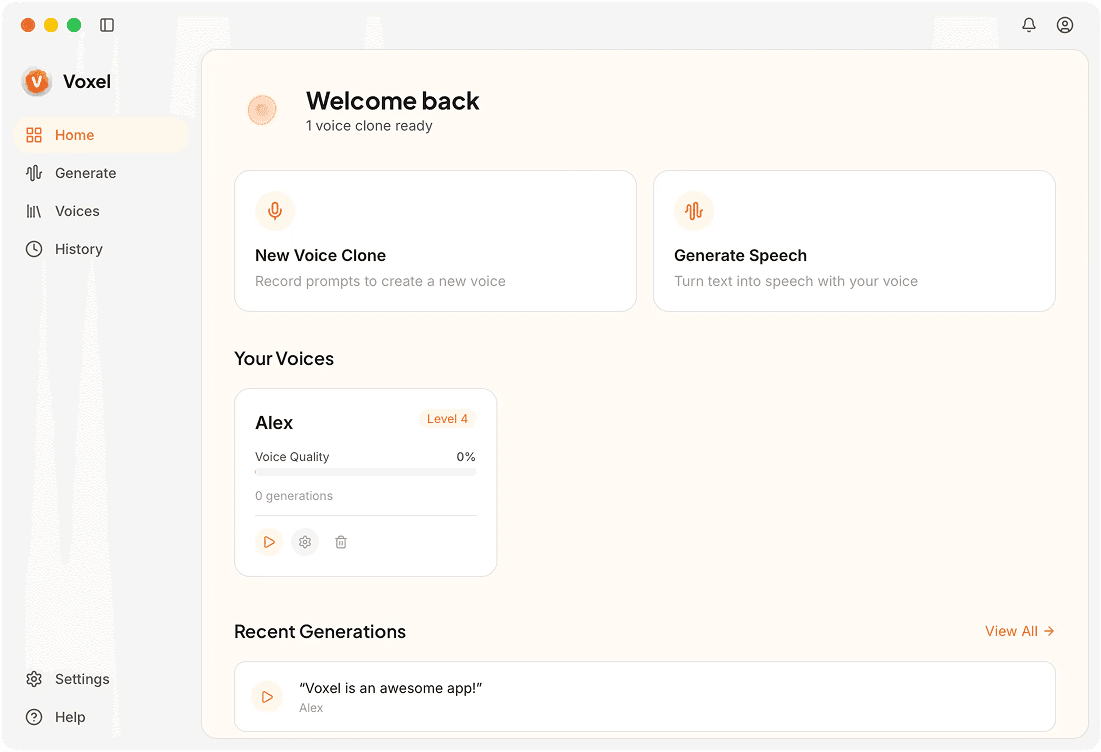
What a Desktop App Gets You
Native macOS Interface
Built following Apple's Human Interface Guidelines, the app feels like it belongs on your Mac — native menus, keyboard shortcuts, and drag-and-drop all included.
Direct File System Access
Save generated audio anywhere on your drive. Your existing folder structure is respected instead of files being trapped behind a web dashboard.
System Audio Integration
Route output to any audio device or application using standard macOS audio routing. Handy for live presentations and recording workflows.
Keyboard-Driven Workflow
Assign custom shortcuts for common actions like generating speech, playing previews, and exporting files. Power users can work without touching the mouse.
Desktop vs. Web Voice Cloning
No Browser Overhead
Web apps run inside a browser sandbox that limits GPU access and adds memory overhead. A desktop app taps your hardware directly, resulting in faster processing.
Offline Availability
A desktop app doesn't go down when a provider has an outage. Voxel is always available because it runs on your Mac, not someone else's infrastructure.
Better File Handling
Finder, Quick Look, and other macOS features integrate naturally. Managing audio files is faster and more intuitive than downloading from a browser.
Frequently Asked Questions
A Proper Desktop App for Voice Cloning
No browser tabs, no web dashboards. Voxel is a native Mac app for voice cloning.
Download Voxel Free